March 24th, 2025
Online Bookings 2.0 in your voice and your brand 🚀
🔤 Introducing Language Overrides
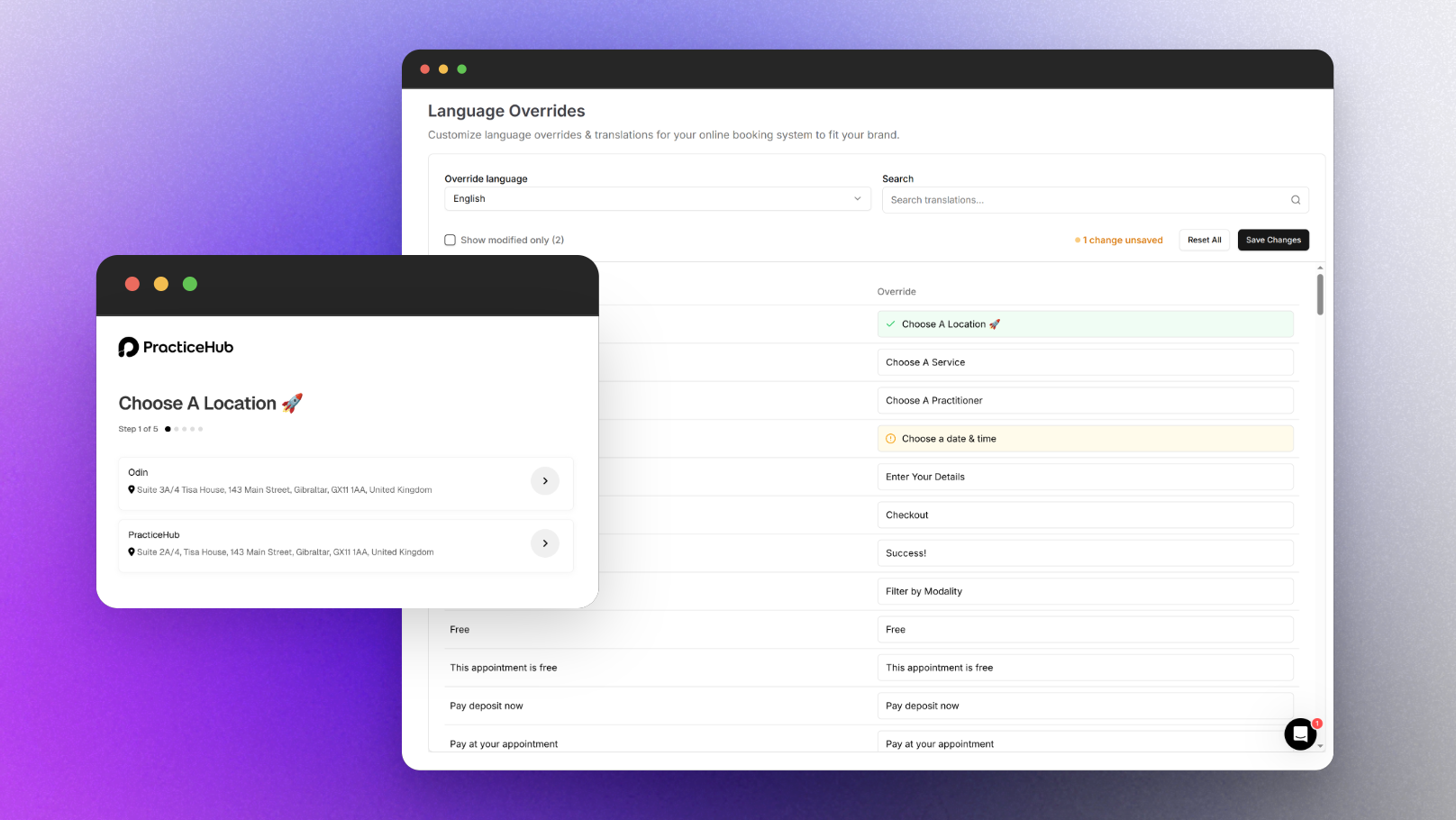
We're excited to announce a powerful new addition to Online Bookings 2.0 - Language Overrides! This highly-requested feature gives chiropractic practices complete control over the text your patients see throughout their booking experience, in any language you operate in.
✨ What's New
Customize every text element in your booking flow in any language
Don't like the default wording we use? Now you can change it! Language Overrides lets you:
Replace any text element with your own preferred chiropractic terminology
Maintain consistent clinical voice throughout the patient booking process
Create a more personalized experience for your patients
Support international patients with fully customized translations
Example Use Cases:
Change "Choose A Location" to "Select Your Clinic"
Rename "Practitioner" to "Chiropractor" or "Doctor"
Customize payment-related text to match your practice's billing model
Personalize confirmation messages with your clinic's voice
How to Access Language Overrides:
Navigate to Settings → Online Bookings → Language Overrides
Select your language from the dropdown menu (English, Spanish, French, etc.)
Search for specific text elements or browse the complete list
Modify any text to fit your brand's voice in your selected language
Switch languages to add translations for multilingual support
Save your changes and see them reflected immediately in your booking flow
The "Show modified only" toggle makes it easy to track which elements you've customized.
Language Overrides is available to all PracticeHub users starting today. Log in to your account to start creating a more personalized patient booking experience!
Questions or feedback? Our support team is here to help.