October 22nd, 2025
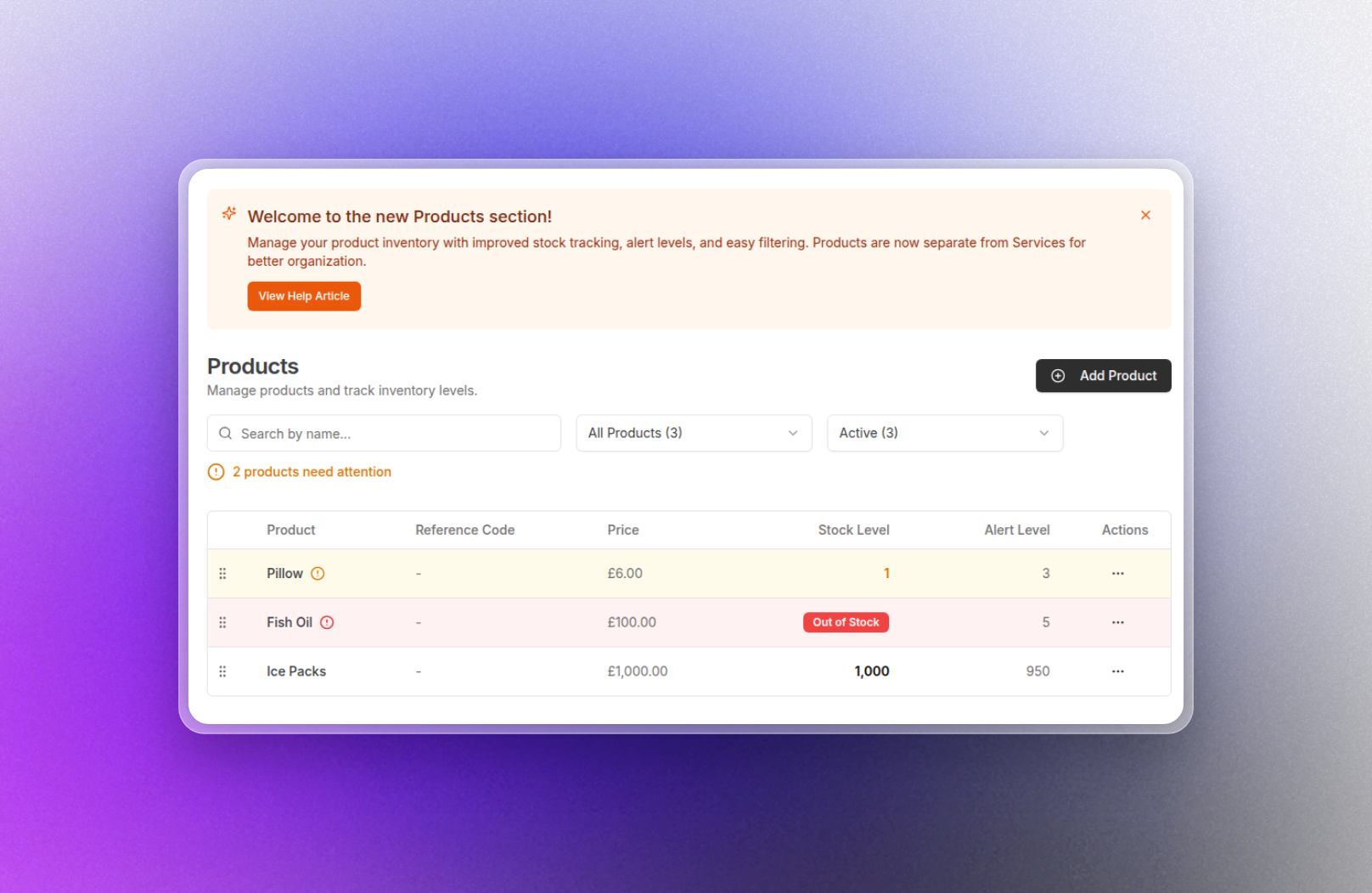
✨ NEW : Control your product stock levels! 🚀
We've just rolled out a product stock control system on our new framework that gives you full visibility and control over your product inventory. This powerful new feature helps you track stock levels, prevent shortages, and manage your product inventory with ease.
This was a highly requested feature on our Product Feedback portal and has been made possible due to the ongoing rollout of our new platform.
Unified Product Management
Here's what's new: You'll see a dedicated Products section that's now separated from Services for better organization. This allows you to manage your entire product catalog in one place with the ability to create, edit, and organize products with drag-and-drop reordering. Each product can have a reference code (SKU), pricing, tax configuration, and practitioner category assignment, making it simple to keep your inventory organized.
Real-Time Stock Tracking
You can now track stock levels for any product in real-time with a visual dashboard that shows current quantities, running balances, and complete transaction history. The system automatically calculates stock levels based on purchases, amendments, and sales from invoices.
Smart Low Stock Alerts
Never run out of stock again with customizable alert thresholds. Set a minimum stock level for each product, and the system will highlight products that need attention with:
Visual indicators (red for out of stock, amber for low stock)
Alert icons with detailed tooltips
Dedicated "Needs Attention" filter to quickly find products requiring restocking
Automatic alerts
Advanced Filtering & Search
Find exactly what you need with powerful filtering options:
Search by product name or reference code
Filter by stock status: All Products, Needs Attention, Out of Stock, Low Stock, In Stock, or Not Tracked
Filter by active/inactive products
Real-time counts showing how many products match each filter
Complete Stock History
Every product gets its own detailed history page showing:
Full transaction log with timestamps and user attribution
Transaction types: Restocks (with optional unit pricing), Amendments, and automatic Sales tracking from invoices
Running balance calculations after each transaction
Notes for each entry to document why changes were made
CSV export for accounting and reporting purposes
Pagination for products with extensive histories
Inventory Transaction Management
As part of this rollout, you can now:
Add stock with optional unit pricing for purchase tracking
Adjust stock levels with positive or negative amendments
View automatic deductions when products are sold via invoices
Delete erroneous entries (ledger entries only - sales are protected)
Add notes to document suppliers, reasons for adjustments, or other important information
These updates reflect our ongoing commitment to adding value for our users, and is another step towards our full migration to our new platform.
Simply head to Settings → Services & Products and you will be redirected to the new platform with access to the Products tab.
If you have any questions, please reach out to help@practicehub.io or via our Chat beacon.