December 3rd, 2025
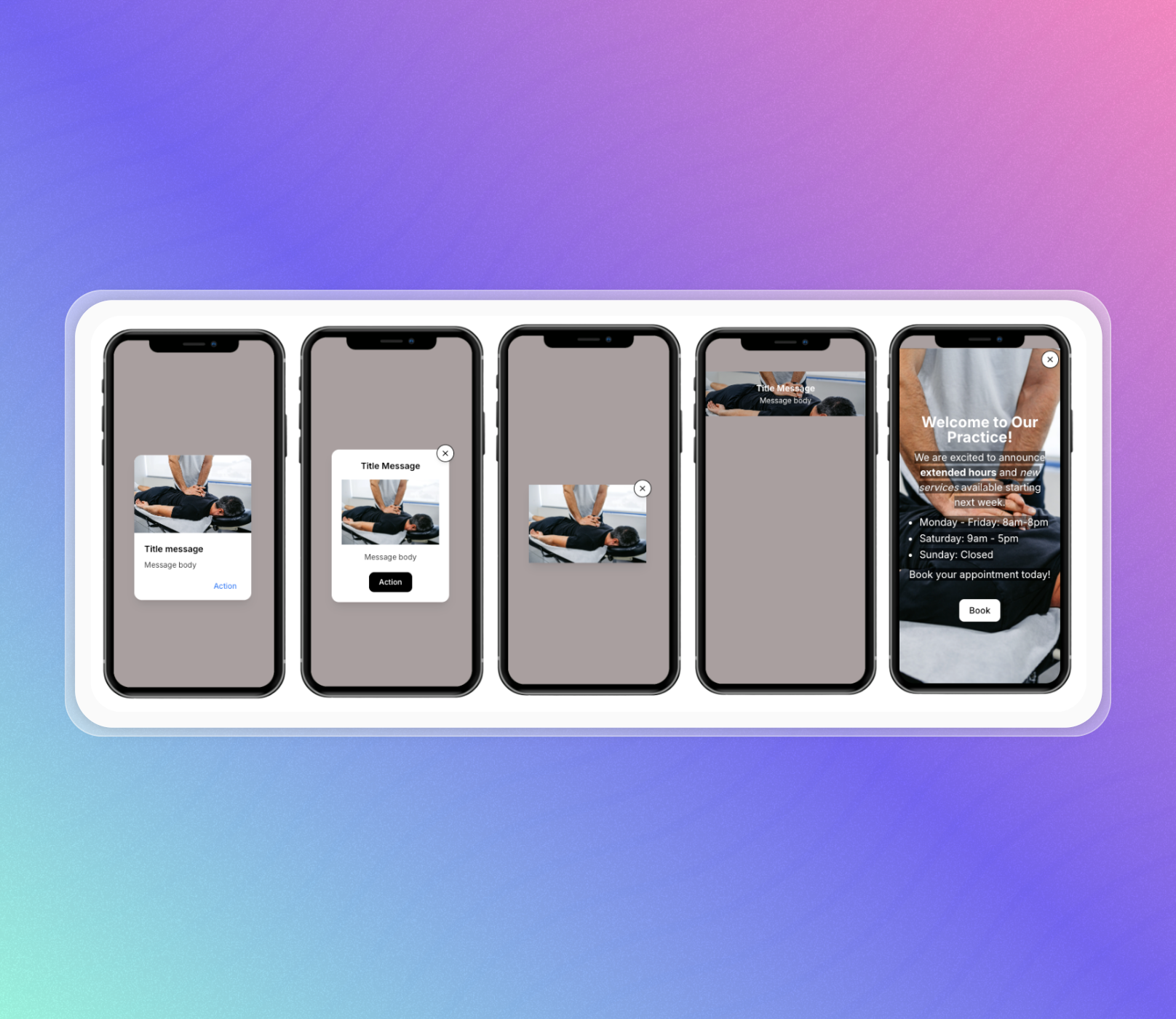
✨ NEW : In App Banners
Introducing a comprehensive in-app banner system that enables practices to display promotional messages, announcements, and call-to-actions directly within the PracticeHub mobile app.
Five banner types are available: Card Banners display as popup cards with image, title, message, and action button. Modal Banners provide an alternative dialog format. Image-Only Banners show simple clickable images. Top Banners remain persistent at the top of app screens. Full Screen Banners offer maximum space for sharing detailed information.
Banners support three action types: opening external websites, directing to appointment booking with pre-filled location/type/practitioner selections, or linking to the referral program section. include a text editor with rich text formatting capabilities, providing greater flexibility in how you present content.
Scheduling options include immediate launch or future date/time activation. End dates can be set for automatic cleanup of expired banners, with timezone conversion handled automatically.
Frequency controls determine how often patients see each banner: once per patient (single display), always show (every app visit), or limit days (once every X days per patient).
Banners automatically refresh when patients open the app. Display priority follows Card > Modal > Image-Only order for dialog banners. The system tracks views and clicks for all banners.
The banner dashboard displays status (Live, Paused, Scheduled), performance metrics, and management options. Banners can be paused, reactivated, edited, or deleted.
Head to Patient App > In App Banners to create your banners. Learn more here.
Please note: you must be running the latest version of the app for banners to show
Contact us via the beacon in the bottom right corner or via help@practicehub.io If you have any questions!